facebook pixel
EBP: Vimeo Enterprise – Why It Works! with Jamey Stewart

EBP: Vimeo Enterprise – Why It Works! with Jamey Stewart

Vimeo logo

How do you create engaging video streaming content for your Business, Church or School?

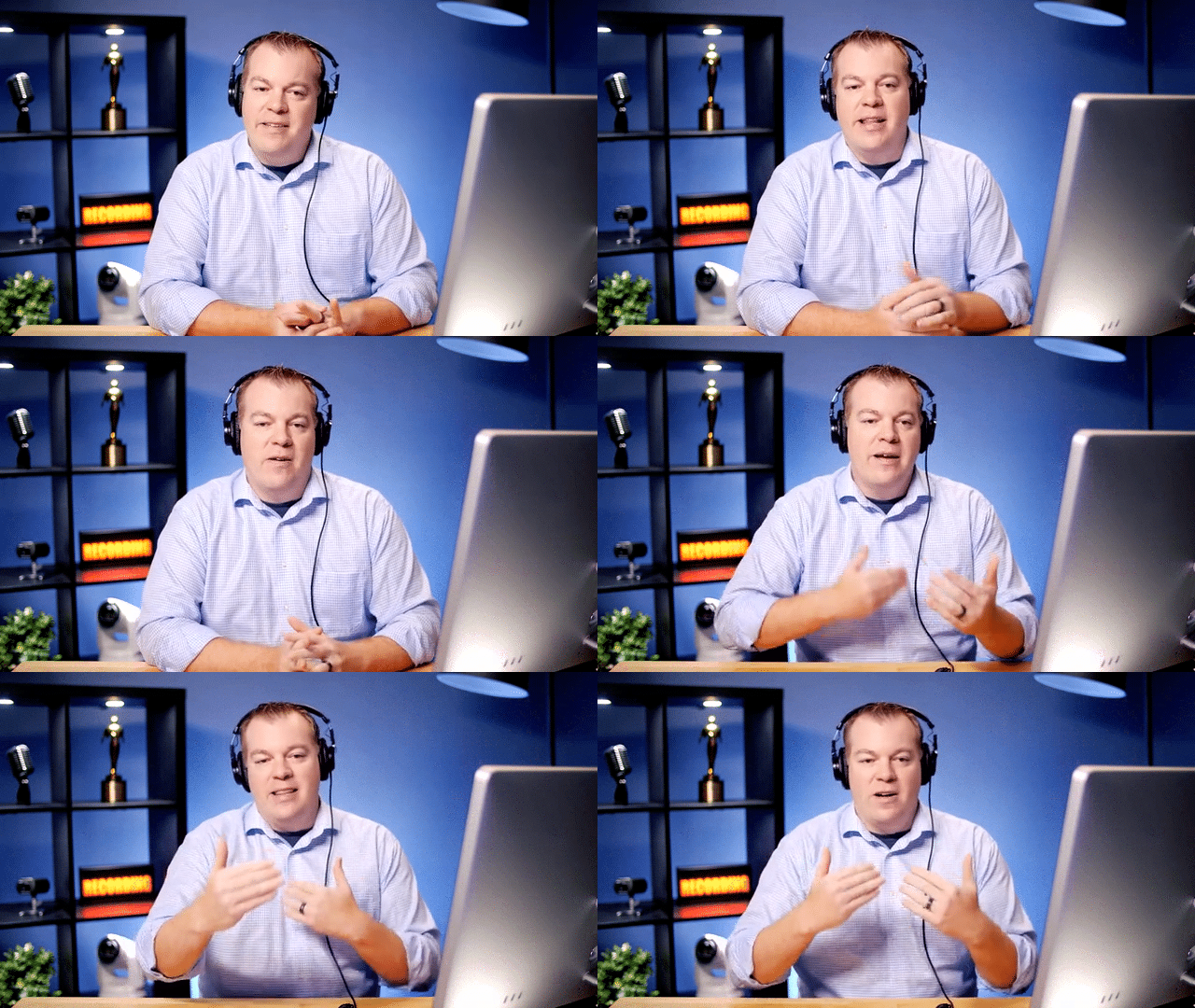
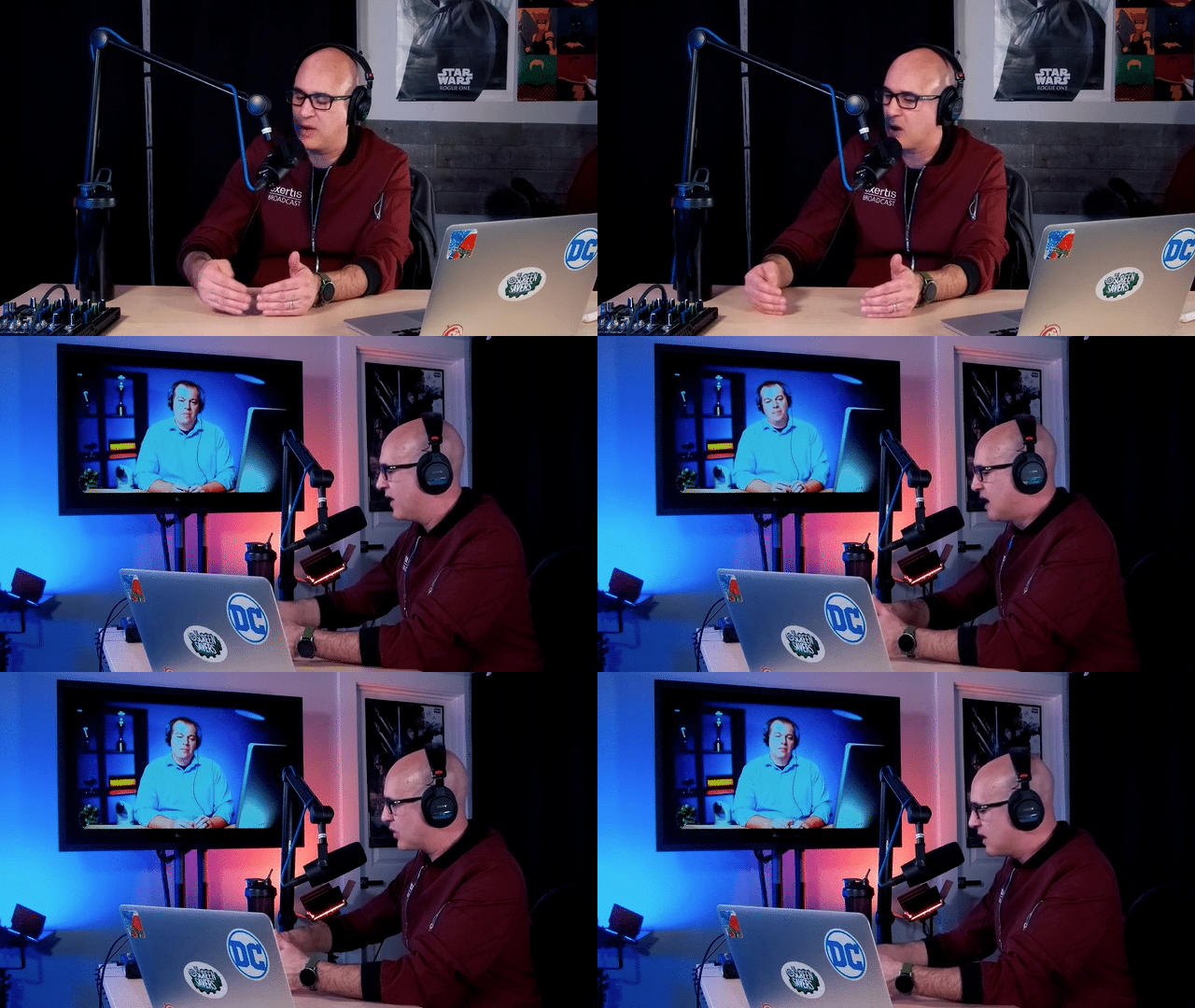
Watch or listen to this Exertis Broadcast Podcast conversation with Jamey Stewart at Mega Media Factory and Nick Smith at Exertis Broadcast to find out.
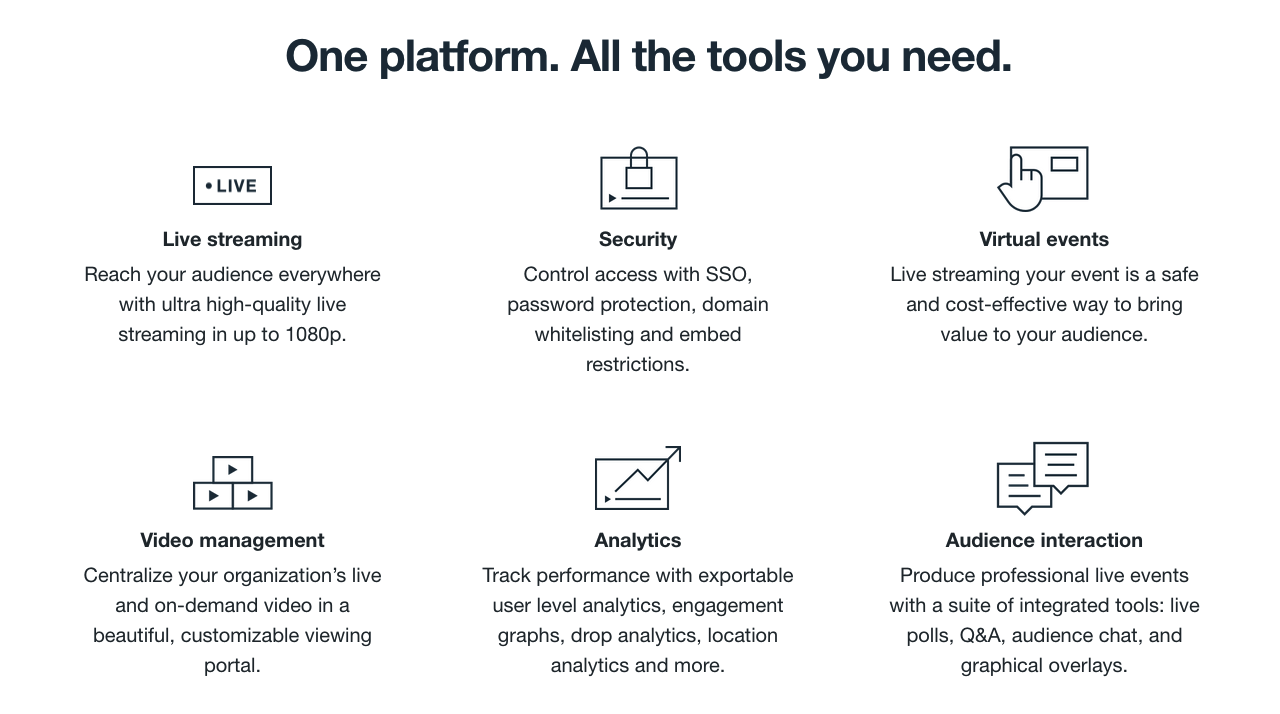
vimeo enterprise key features

Vimeo empowers video creators and businesses of all kinds to tell exceptional stories and connect with their audiences, customers, and employees. More than 90 million members already use Vimeo to manage all their videos in one place, save time with seamless collaboration, drive engagement, and track performance.

Vimeo’s enterprise tools give you the power to effortlessly and securely share an all-hands, updates, learnings, and more, in real time, anywhere.
Vimeo Enterprise | Top 3 Features Countdown

Vimeo Enterprise | Top 3 Features Countdown

Vimeo Enterprise | Top 3 Features You’ll Want to Know

Exertis Broadcast Engineers’ Top 3 Features Countdown:

FEATURE # 3 | REVIEW TOOLS
Vimeo livestream to facebook

Feature 3 is about the prep work that goes into creating content using the “Review Tools”. Vimeo Enterprise is not just about the live content. Training videos, HR announcements, new product releases – anything and everything can be communicated through video. But before it gets released, you need a way to make sure the video is hitting the mark. Review tools allows the content creator to get feedback on the content before sharing to the audience. Click on any spot in the video and leave a note or comment for the creative team. That message is relayed back so the changes can be made. No emailing videos files or uploading to other platforms. When the final changes are approved, your content is already in its final destination.

FEATURE # 2 | AUDIENCE ENGAGEMENT

Feature 2 is about audience engagement. With Vimeo Enterprise, you get tools that allow your content to engage with the audience while not in Vimeo. 1st engagement tool is embed codes. Content that is hosted in Vimeo can be embedded in other sites and application. Say, for instance, you all are using MS Sharepoint for daily communications. A video showcasing the next product release can be embedded in a Sharepoint page for everyone to see when they login in the morning. A teaser trailer can also be embedded in your public website and Vimeo will track and deliver analytics on usage.

For social media, there are tools for making GIFs, thumbnails, and trimming out clips that can be used to in social platforms, emails, or even your website. This way, if something amazing happens in a live event, you can quickly and easily create a GIF of that moment for all to see.

Vimeo livestream to facebook

I want to give an Honorable Mention to a feature I can safely say YouTube doesn’t, and probably won’t ever, have: REPLACE. We’ve all been there. A mistake in the script that you don’t catch until after the fact – a typo, an error in the render – it can all lead to having to dump your video, your analytics, and most importantly, the URL associated with it. By using “Replace Video”, you can upload your video as many times as you want, and not have to worry about the headache of replacing the URL as well.

FEATURE # 1 | SHOWCASE PAGES
NDI Bridge explained

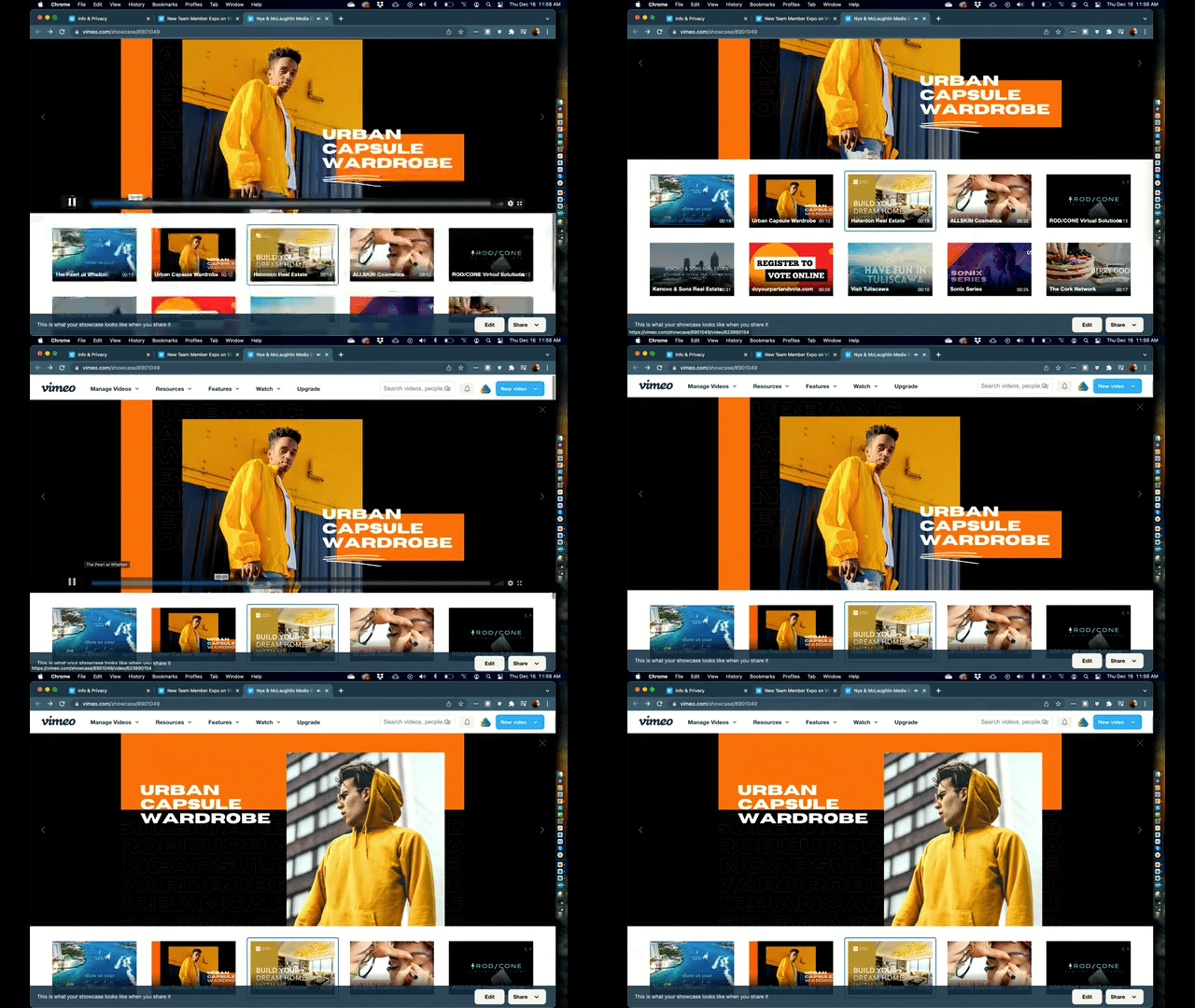
Feature number one is “Showcases”. Often, with webinar and event platforms, you only get a link to the event and that link only works while the event is live. There’s no way to get your audience engaged prior to the event. With Showcases in Vimeo Enterprise, the show starts the moment you create the showcase page for the event. You can upload teaser trailers for the event, and post video content that is related to the event topic. It might be interviews with the presenters talking about the importance of the event. No matter how you use it, the Showcase is a landing page that attendees can use to start their experience way before the actual event. The actual live event will be housed there as well, making it easy for attendees to know where to go for the live event. And all of it can be made public or private, so you have total control over your message and event.

Vimeo’s enterprise tools give you the power to effortlessly and securely share an all-hands, updates, learnings, and more, in real time, anywhere.
vimeo enterprise tools
NewTek TC1 Pro | The Perfect Production Powerhouse

NewTek TC1 Pro | The Perfect Production Powerhouse

NewTek logo
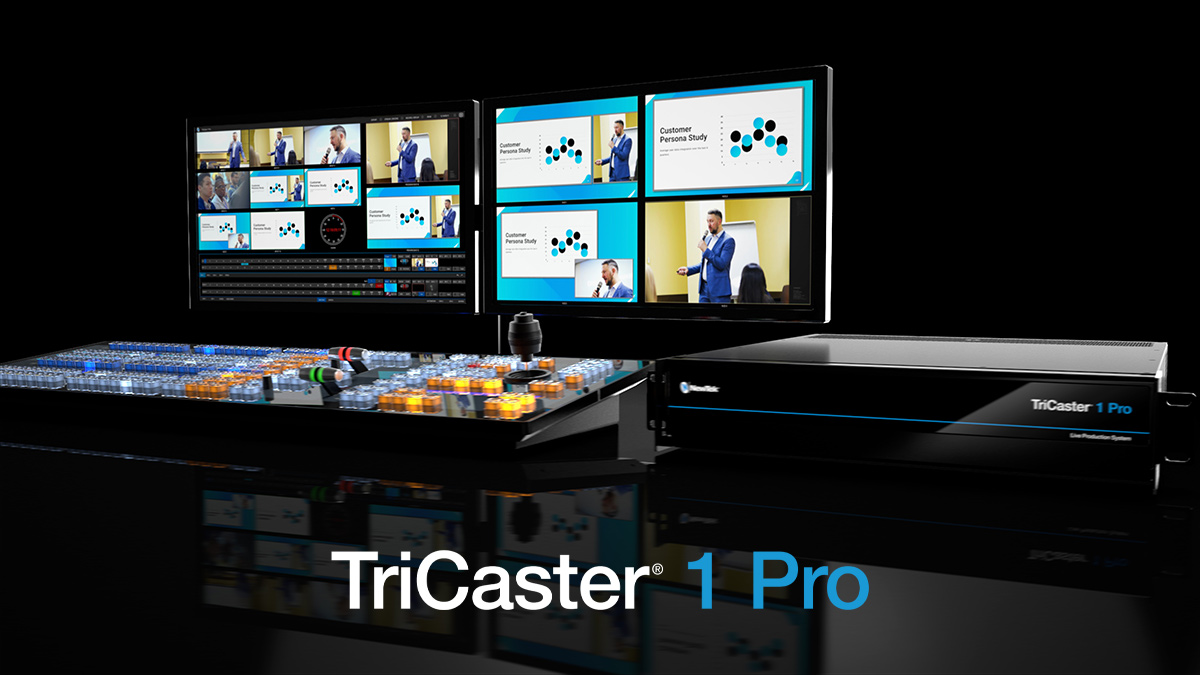
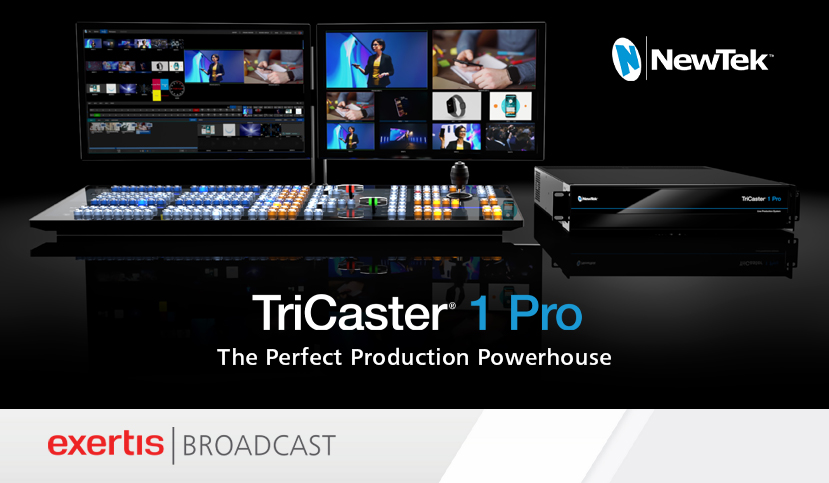
TriCaster 1 Pro is a streamlined live video production system with support for 4K UHD switching, live streaming, recording, data-driven graphics, virtual sets, media publishing, and more.
NewTek-TC1_Pro-RIght-Angle-Layout

TriCaster 1 Pro is the perfect balance of investment and power, fully equipped with the industry’s leading software-driven production technology and hundreds of future-ready capabilities.

Production. Better.

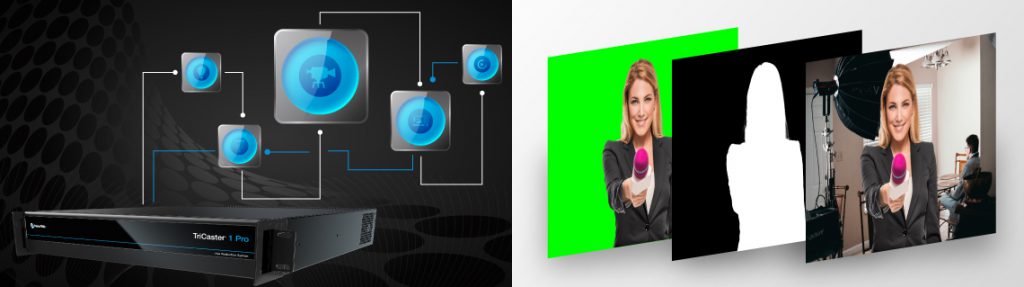
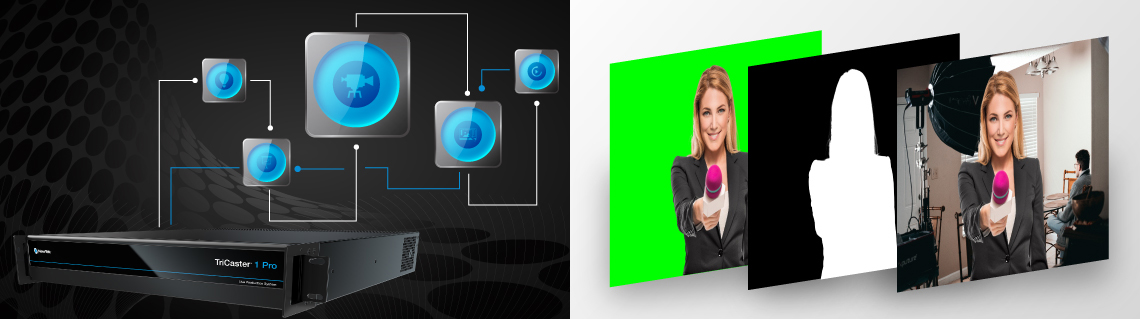
TriCaster1 Pro production powerhouseDynamic and powerful nested macros capabilities within the TriCaster Pro 1 allow operators to deliver complex productions effortlessly. Operators can send Alpha Channel through one of the MIX outs, bringing post-production closer to live. Users can also use the keying on TriCaster to feed graphics or real-time 3D creation tools. TriCaster 1 Pro supports encoding of three channels.

Remote guests. Better.

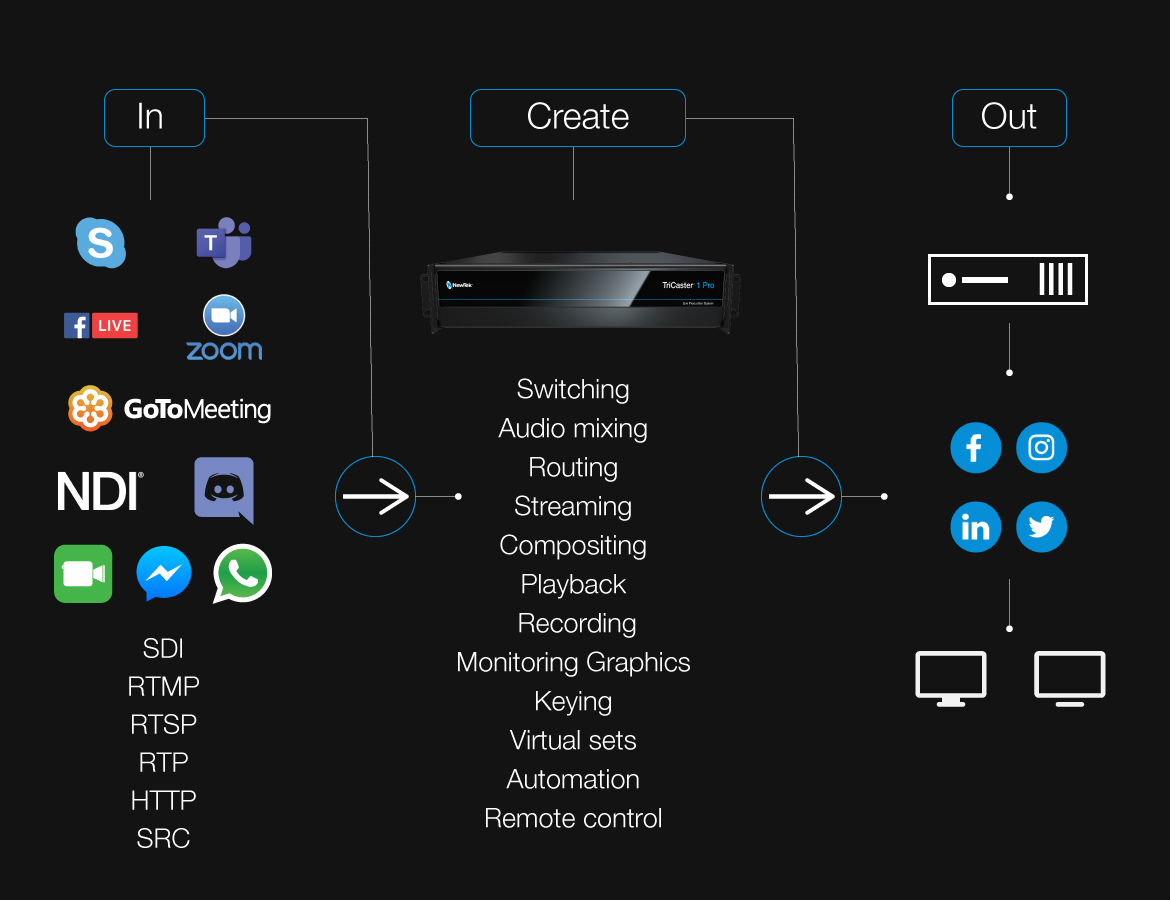
TriCaster 1 Pro offers the latest version of Live Call Connect, effortlessly integrating popular video communication applications like Facebook Messenger, WhatsApp, FaceTime, Zoom, Skype TX, Microsoft® Teams, Discord, Slack, and Tencent as video inputs. In addition, producers can turn any mobile device into a live production camera by using the NDI TriCaster Camera App – now available, for free, for Android and iOS devices.

Live audio. Better.

Using AI, TriCaster 1 Pro helps to maintain all important production quality by cancelling or reducing background noise from any source. The tool automatically detects voices and cleans the audio meaning remote callers in loud environments can be clearly and easily heard, just by the touch of a button, using the Neural Voice Isolation tool.

READ PRESS RELEASE

Video Production Powerhouse

TriCaster 1 Pro is equipped with the industry’s leading software-driven production technology and hundreds of future-ready capabilities that allow today’s professionals to take advantage of established and emerging workflows to produce more of the incredible content their viewers crave and deliver it whenever and wherever they watch.

Producers of mid-size productions will love these advanced features that come standard in the TriCaster 1 Pro, including, 4K UHD switching, live streaming and publishing, live call connect, live story creator, live graphics, live panel, alpha channel outputs, advanced macros, recording, data-driven graphics, virtual sets, media publishing and more.

Click images above to enlarge.

The TriCaster 1 Pro is a welcome addition for live productions that require robust remote calling but don’t necessarily need an extreme quantity of sources and destinations.

Live Call Connect

Live Call Connect allows for seamless integration of 4 remote callers from popular video communication applications like Facebook Messenger, WhatsApp, and FaceTime, Zoom, Skype TX, Microsoft® Teams, Discord, Slack and Tencent as unique video inputs.


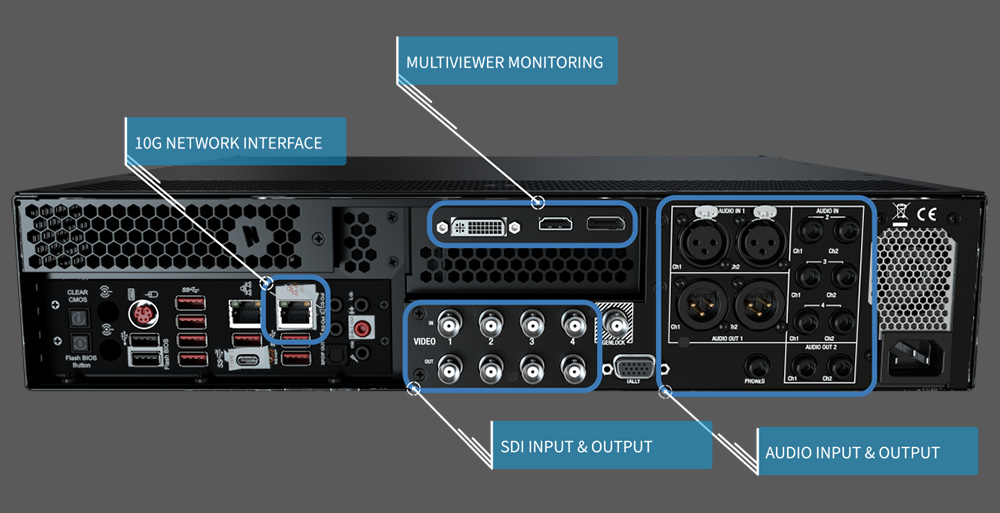
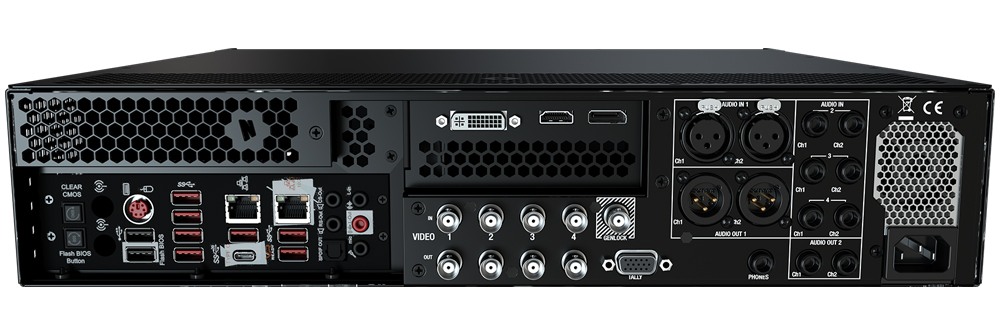
TriCaster 1 Pro is perfect for mid-size productions. It offers an array of connectivity options for anything from SDI and Audio I/O to multiviewers not only through the powerful 10G network interface but also directly with dedicated ports.

The Most Complete Video Production Systems on the Planet

NewTek TriCaster systems put an entire suite of media production capabilities at your fingertips. You can make anything from keynote presentations and webcasts to online training and sporting events look amazing with quality, consistency and efficiency.

TriCaster 1Pro

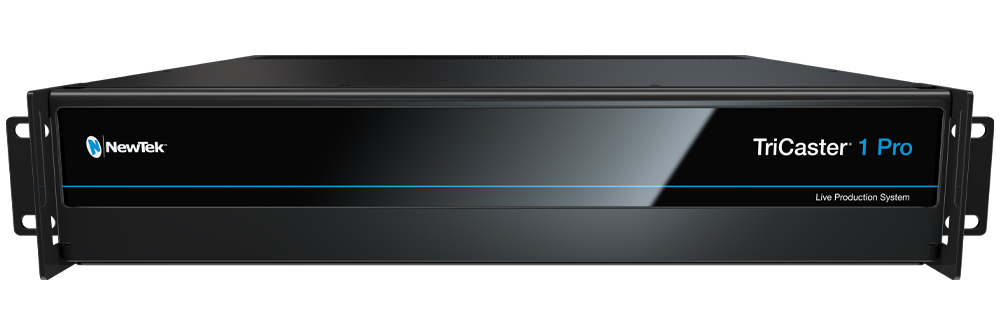
Click images & diagram below to enlarge.

TC1-Pro-Front
TC1-Pro-Back-Panel
TriCaster-1-Pro-workflow
The TriCaster 1 Pro is an incredibly powerful production system for the modern producer, publisher, and content creator. Perfect for productions with intense demands on quality and feature set.

Curious about the NDI Bridge Podcast mentioned in the discussion?

TriCaster-1-Pro-workflow
Lumens | Ultimate Classroom Simlab Workflow

Lumens | Ultimate Classroom Simlab Workflow

Building the ULTIMATE Simlab with Lumens Gear

Lumens
canon cr-n500 camera
LC200 reflection
VC-TR1 Full HD Auto Tracking Camera
VC-A50P Full HD-60fps IP PTZ Camera

Classroom Simlab for Higher Education

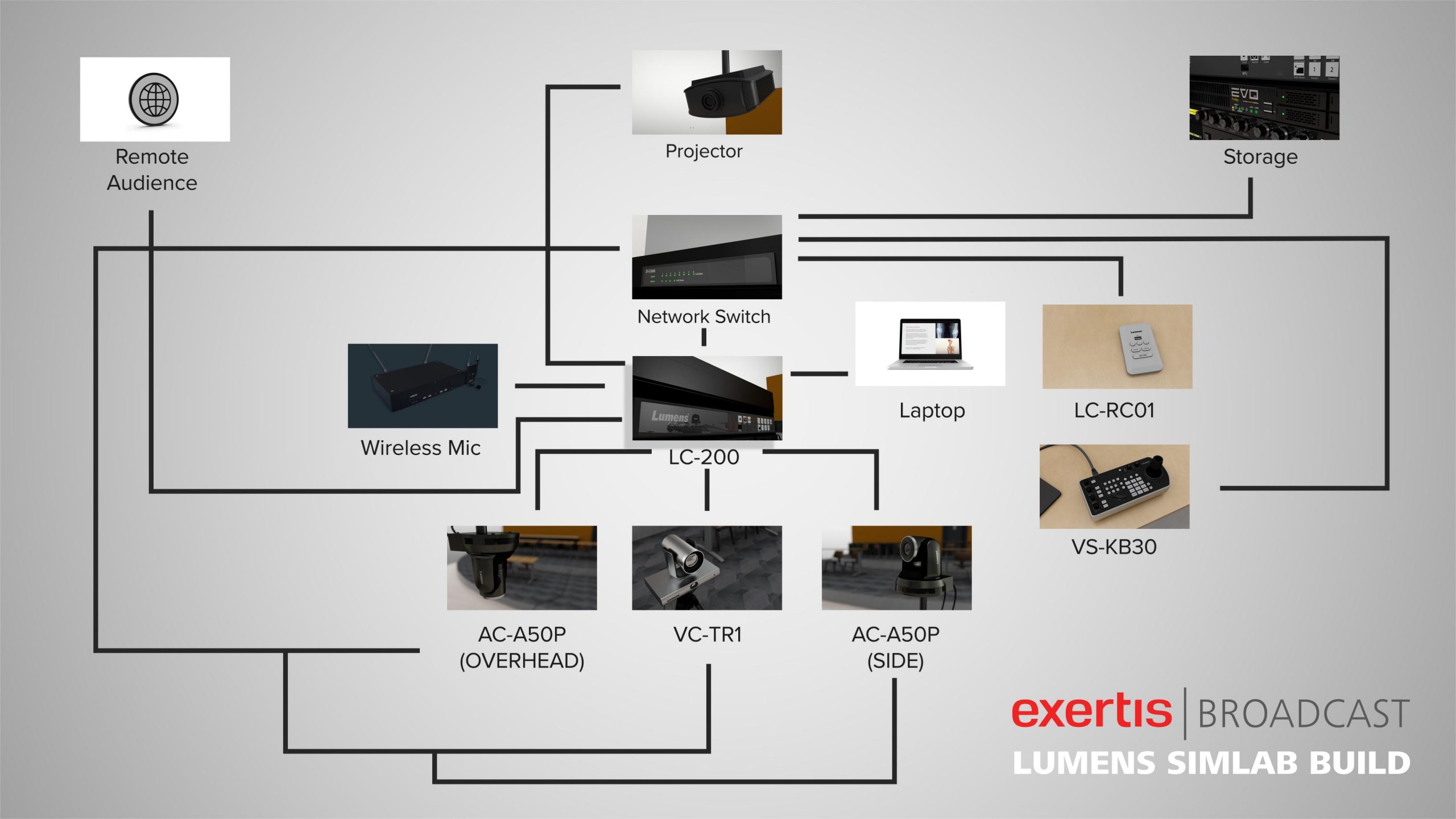
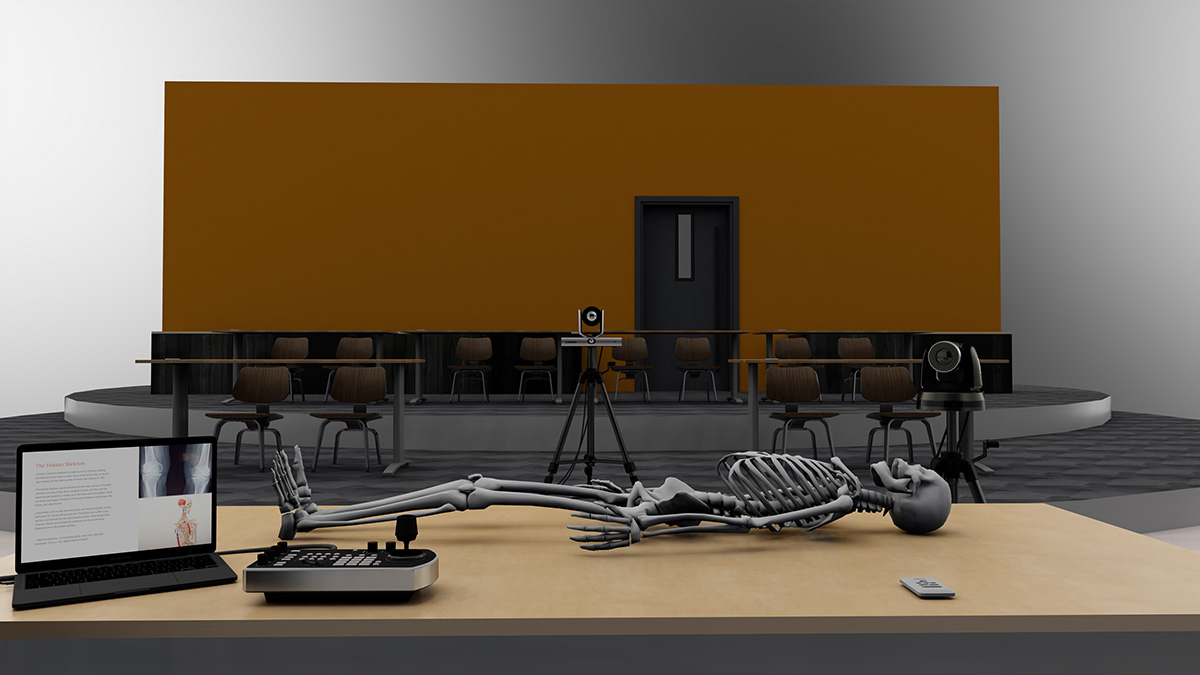
We recently challenged ourselves to build a Simlab workflow for a higher education solution using as many Lumens products as we could. Most workflows require many more manufacturers than just one, but Lumens is more than capable of powering a Simlab, Mechanics Lab, Educational Kitchen, or any other lab environment you can think of.

For this build, the goal was to present lecture content to the in-classroom audience, and, since not every classroom needs it, we’ll focus on the recording of lectures, rather than livestreaming them.

CAPTURE VISION SYSTEM

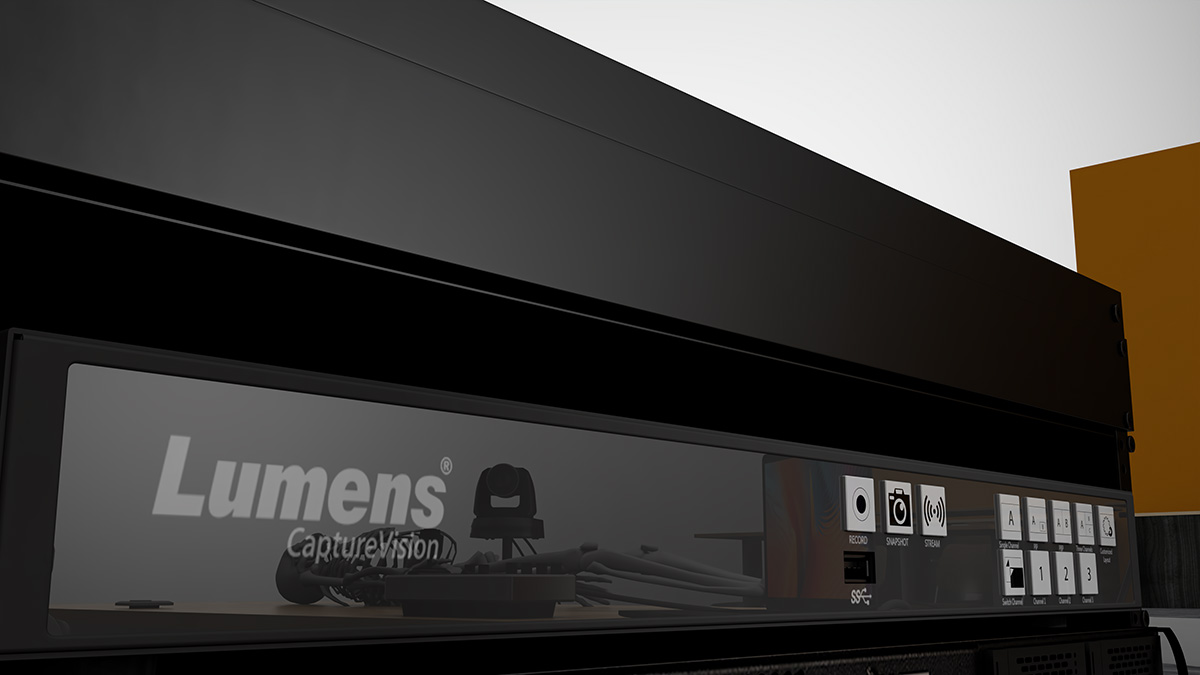
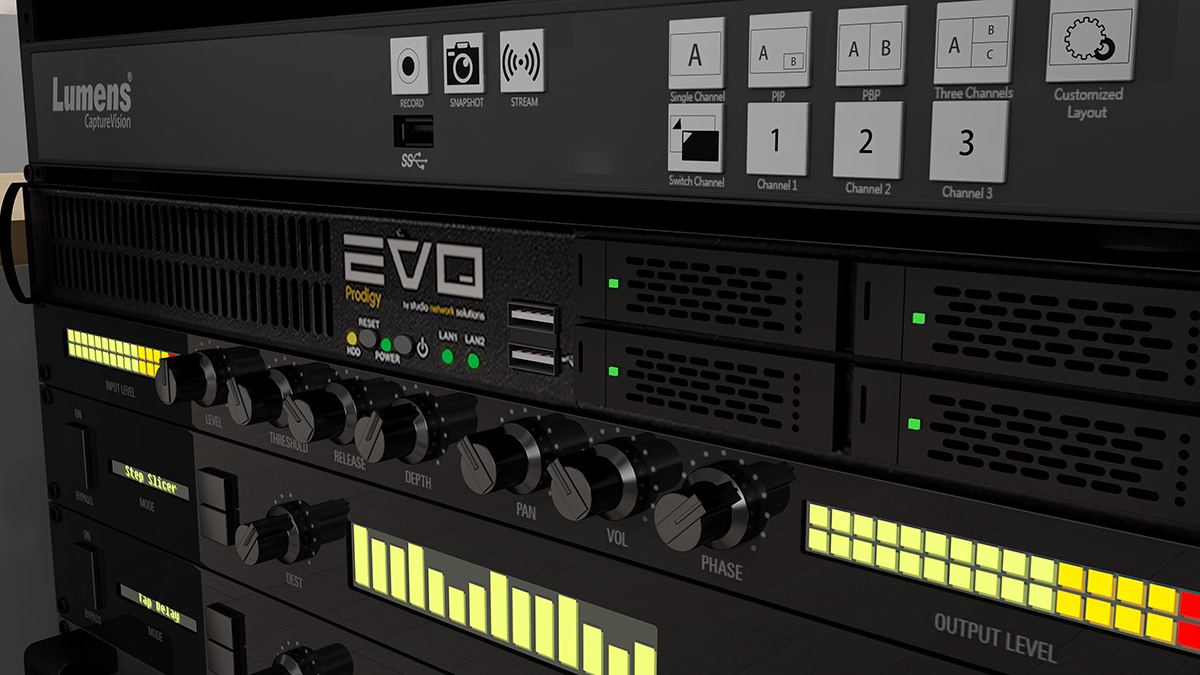
We’ll start with the heart of the system, the Lumens LC200. For any classroom setting, you have to make sure that the technology will be simple enough for any instructor to operate, but it also has to be robust enough to capture your creative vision. The LC200 has 4 HDMI inputs, 1 HDMI out for program, and one Multiview HDMI out as well. Audio is handled via the 4 dedicated line level inputs, and one line output. Our cameras will all connect to the LC200 via HDMI, and we’ll throw a wireless mic pack into the mix to make sure everyone can hear the lecture – even in the back of the class. Not only is the LC200 going to act as our on-prem video switcher to power our projector, but it will also handle the recording of the lectures.

CAMERAS

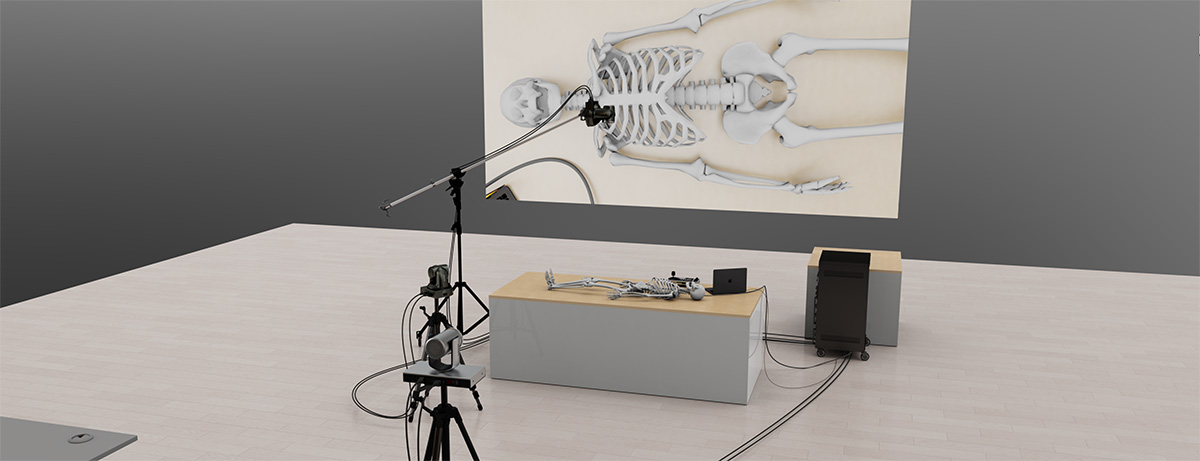
There are lot’s of options for Lumens cameras, but the key for this lab are going to be versatility. For the main wide shot, we chose a Lumens VC-TR1 tracking camera. The VC-TR1 comes equipped with 2 lens, one panoramic lens and one telephoto lens. The pano lens is the one that does the subject tracking, so you can be anywhere in front of the whiteboard, and you be confident that you’ll be perfectly framed every time.

We needed an overhead shot for whatever the instructor is working on on the bench. This PTZ camera doesn’t need to have tracking, and it doesn’t need NDI so we went with another IP camera, the VC-A50P. With a 20x optical zoom, the instructor can get as close as they need to see the tiniest details in what they’re working on. We also decided to put a second VC-A50P on a stand off to the side of the instructor that can be used as a side shot, or a student shot when a student is asking a question.

simlab example
EASE OF CONTROL

For the last input in the LC200, we’re adding an HDMI output from the instructor computer, so any slide content can be easily presented in the same ecosystem as everything else.

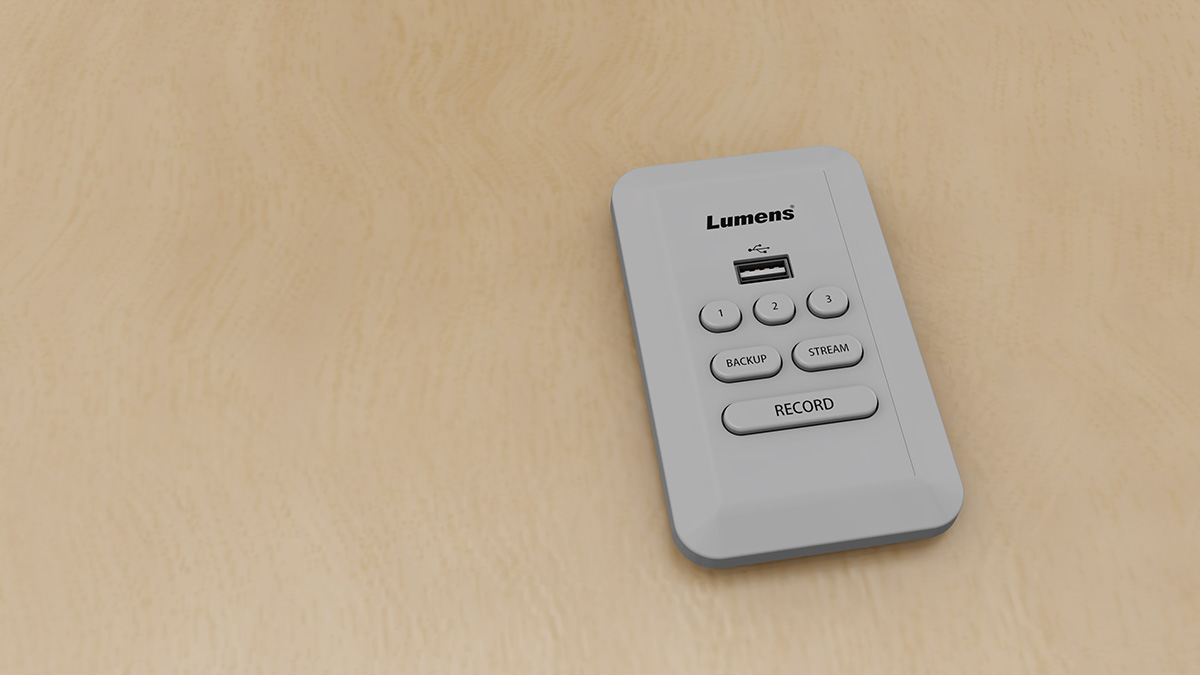
In the instructor bench, we included the LC-RC01 Remote Control Panel for the LC200, as a secondary, quick and easy way for the instructor to change sources, start and also stop recording and streaming. Again, the easier the implementation, the more likely instructors are to use it.

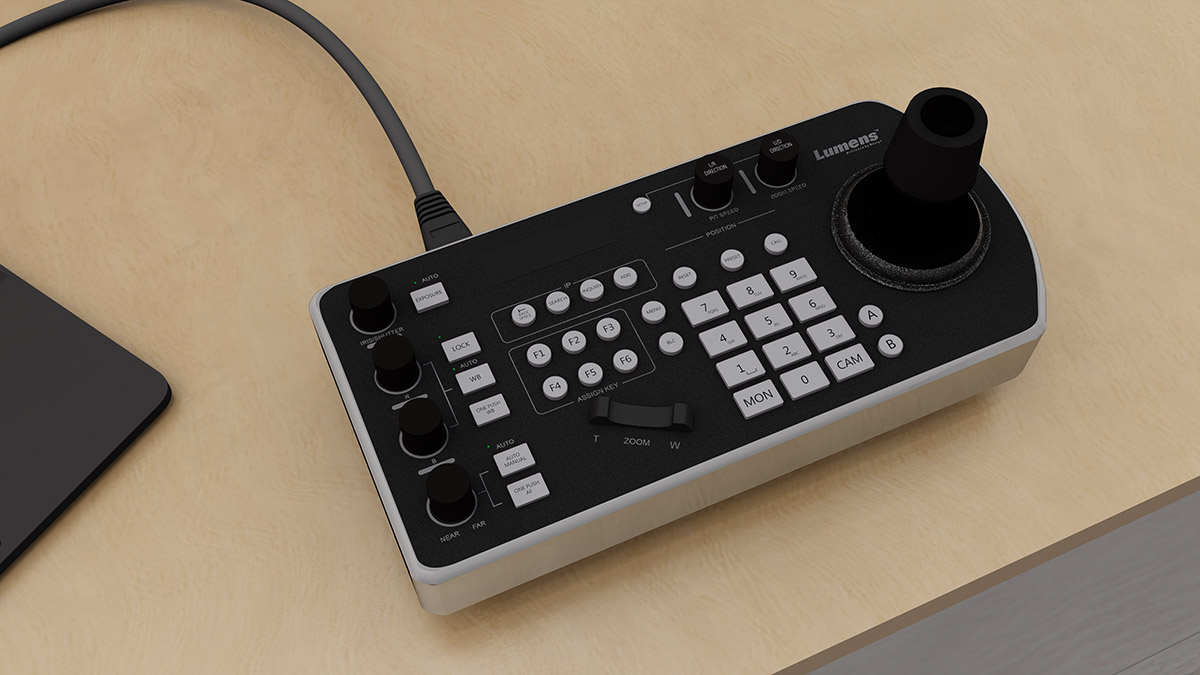
As another layer of fine control, we added the VS-KB30 IP Controller with Joystick to make controlling the main,overhead and/or side shots simple and straightforward. The instructor can take control of either camera with the joystick, or use one of 255 recallable presets to snap the cameras to whatever angle they need.

Finally, every piece Lumens gear other than the LC200 itself is powered over PoE, so we don’t need to factor in dedicated power or extensions, just a solid gigabit network switch and one CAT 6 cable per device to power and network everything.

TYPICAL LECTURE WORKFLOW

Here’s how a typical lecture will go. An instructor will set dates in their Microsoft Outlook or Google Calendar for when they’re going to be in the classroom. The LC200 will use these dates and times to automatically begin recording and streaming the lecture – all without the teacher even having to think about it. With this control, even instructors who don’t want to touch the tech, don’t have to, but they’ll still have their lecture streamed to off-prem students and archived for later use. Instructors will be able to switch between cameras and their computer-based content with ease, and they’ll be better understood in the moment by their students. All footage recorded by the LC200 can be easily stored on a teacher’s external hard drive, but if you were to put a robust storage solution, like SNS EVO into the workflow, instructors would automatically have their day’s lectures available to them from anywhere in the world. No long upload times, and no personal external drives to worry about.

Lumens has a wide range of robust video broadcast solutions that can revolutionize the way instructors teach in a Simlab. With this workflow, instructors don’t have to choose between engaging either the in-person or remote students, but can engage both audiences concurrently with same level of effectiveness. If you’re ready to build your own ultimate simlab, contact your Exertis Broadcast sales representative, and we’ll be ready to help!
simlab workflow diagram

WORKFLOW DIAGRAM
Click image to download PDF

VS-KB30 IP-Camera-Controller-with-Joystick
LC200 and EVO storage
 laptop on instructor's desk
NewTek TriCaster Product Line Expanded

NewTek TriCaster Product Line Expanded

New TriCaster 1 Pro and next generation TriCaster 2 Elite added to NewTek TriCaster line

NewTek logoProviding the perfect production system, TriCaster 1 Pro offers an ideal balance of capability and investment while enhancements to NewTek’s flagship TriCaster 2 Elite now offer more powerful features as standard

SAN ANTONIO, TX, USA, December 2, 2021 — NewTek, the leader in IP-based video technology and part of the Vizrt Group, today launched the TriCaster 1 Pro: a streamlined live video production system with support for 4K UHD switching, live streaming, recording, data-driven graphics, virtual sets, media publishing, and more. TriCaster 1 Pro, and TriCaster 2 Elite offer integrated flexibility of software and IP networks – opening a world of opportunities with the tightest, NDI-native integration, only available in TriCasters. Both TriCasters also enable LiveGraphics™, LivePanel™, and Live Story Creator tools as standard offering automation, title and motion graphics, and bespoke control surfaces.

Since its release in July 2020, the TriCaster 2 Elite has been celebrated as setting a new standard for how much can be achieved with a single system. The TriCaster 2 Elite remains the flagship TriCaster offering, and now features both selectable audio and video returns with unmatched quality and flexibility, as well as NDI Genlock – putting the system in a league of its own.

“Today’s producers have to keep up with an insatiable demand for video content while maximizing flexibility,” said Will Waters, NewTek’s Head of Product Management. “TriCaster offers the only complete set of production tools while focusing on efficiency and flexibility only available through combining IP networking and software-defined solutions. The TriCaster 1 Pro is a welcome addition for the storytellers that need robust remote calling but don’t require an extreme quantity of sources and destinations. The update to the TriCaster 2 Elite serves to cement its position as a transformative platform that truly takes video production to another level.”

Questions about NewTek TriCaster or video production?

TriCaster1 Pro logo BLK

Production. Better.

Dynamic and powerful nested macros capabilities within the TriCaster Pro 1 and TriCaster 2 Elite allow operators to deliver complex productions effortlessly. Operators can send Alpha Channel through one of the MIX outs, bringing post-production closer to live. Users can also use the keying on TriCaster to feed graphics or real-time 3D creation tools. TriCaster 1 Pro and TriCaster 2 Elite support encoding of three channels.

Remote guests. Better.

Both TriCaster models now offer the latest version of Live Call Connect, effortlessly integrating popular video communication applications like Facebook Messenger, WhatsApp, FaceTime, Zoom, Skype TX, Microsoft® Teams, Discord, Slack, and Tencent as video inputs. In addition, producers can turn any mobile device into a live production camera by using the NDI TriCaster Camera App – now available, for free, for Android and iOS devices.

Live audio. Better.

Using AI, TriCaster 1 Pro and TriCaster 2 Elite help to maintain all important production quality by cancelling or reducing background noise from any source. The tool automatically detects voices and cleans the audio meaning remote callers in loud environments can be clearly and easily heard, just by the touch of a button, using the Neural Voice Isolation tool.

ABOUT NEWTEK

NewTek® is the leader in IP video technology that gives every storyteller a voice through video. NewTek sells exclusively through hundreds of resellers (find a reseller) around the world to bring its innovative solutions to market. NewTek products are natively IP-centric via NDI® and empower customers to grow their audiences, brands, and businesses faster than ever before.

Clients include: The Supreme Court of the United Kingdom, New York Giants, NBA Development League, NHL, Nickelodeon, CBS Radio, ESPN Radio, Fox Sports, MTV, the National Aeronautics and Space Administration (NASA), Pinsent Masons LLP, and more than 80% of the U.S. Fortune 100.